 Otto
Otto5–15 Minute Executive Daily Briefing: EA Playbook, 3 Templates
5–15 Minute Executive Daily Briefing: EA Playbook, 3 Templates

An executive daily briefing is a one-page, 5 to 15 minute morning summary that pulls priority email, calendar context, action items, and outstanding follow-ups into a single decision-ready view. An assistant usually assembles it the night before or first thing in the morning, though automated tools now handle much of the pull. Done right, it covers five things: emails, calendar, actions, follow-ups, and decisions needed.
TL;DR:
- Most executives need a daily briefing that highlights only the three to five most urgent emails, meetings, actions, and decisions, not everything.
- Automating data collection from email, calendar, and meeting notes can significantly reduce prep time and improve accuracy via tools like Otto.
- The briefing should start with the single most important item and follow with quick context, limiting detail that doesn’t influence immediate action.
- Templates should match the executive’s focus, whether it’s brief, meeting-heavy, or decision-centric, to streamline quick scanning.
- Consistent review and escalation of urgent items or deadlines are essential to ensure timely decisions and follow-ups.
Table of Contents
- What Goes Into an Executive Daily Briefing?
- How Do You Build a Daily Briefing From Scratch?
- Three Ready-to-Copy Executive Briefing Templates
- The EA Playbook: 30 Seconds, Then Context
- How Otto Automates the Briefing Workflow
- Why the Briefing Habit Actually Pays Off
- Otto: One Briefing, Built From Everything You Already Use
- Sources
- FAQ
What Goes Into an Executive Daily Briefing?
A briefing earns its place on the executive’s desk only if every line answers “so what?” in under three seconds. Five components do the heavy lifting.
- Priority email summary. Pick 3 to 5 emails that actually require attention today, not everything marked urgent. For each one, note the sender, the specific ask, and the deadline. “Sarah, contract redline, needs signature by 2 p.m.” beats a forwarded thread.
- Calendar overview with context. List each meeting’s purpose in one line, the key attendees, and a single prep sentence: “Board update at 10, bring Q3 churn numbers, Legal wants five minutes on the vendor clause.” Flag any meeting that runs back to back with no buffer.
- Action items and deadlines. Every task due today or this week gets an owner, a source (which email or meeting spawned it), and a due date. No owner means no accountability.
- Follow-up tracker. This is the list of promises made but not yet closed: who was told what, when they were last contacted, and what happens next.
- Key decisions needed. State the decision in one sentence, the consequence of delay, and exactly what input is required from the executive today.
Two optional rows round it out well: a top metric worth a glance (revenue, pipeline, whatever the executive tracks daily) and a risk flag section for anything blocked or slipping.
Pro Tip: If a line item doesn’t change what the executive does in the next four hours, cut it. A briefing that tries to inform everything ends up prioritizing nothing.
How Do You Build a Daily Briefing From Scratch?
Building the habit matters more than building the perfect template. Here’s the sequence that works.
- Pick your cadence. Populate the briefing the night before using the day’s confirmed calendar, then do a 5 minute morning refresh to catch overnight email. Executives traveling across time zones often need the refresh done closer to their actual wake time.
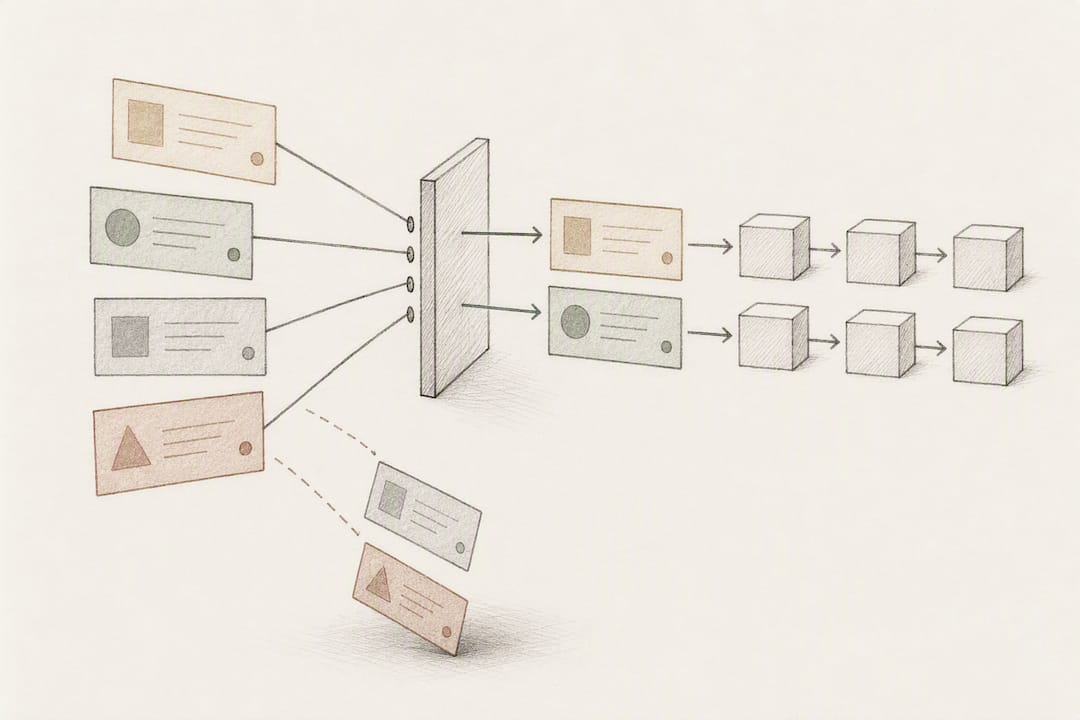
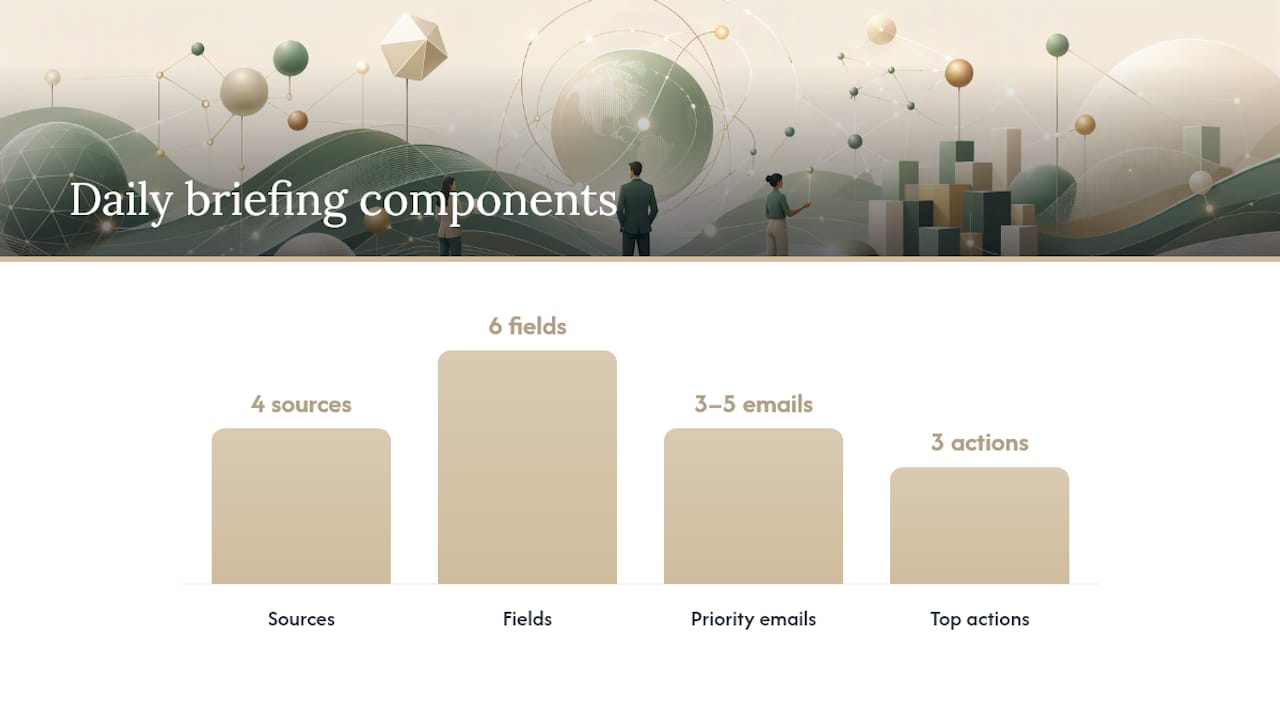
- Pull from four sources. Email inbox (triaged, not raw), calendar, meeting notes from the prior day, and whatever task manager or CRM holds open commitments.
- Fill six fields. A one-line headline for the day, 3 to 5 priority emails, calendar context, three top actions, the follow-up ledger, and decisions needed.
- Decide what gets automated. Extracting calendar events and flagging emails from key contacts can run automatically. Judgment calls, like which of ten emails actually matters, still need a human or an AI trained on that executive’s priorities.
- Assign ownership clearly. The assistant assembles the draft, the executive reviews it in under two minutes, and automation exists to shrink the prep time between those two steps, not to replace the review.
Pro Tip: Draft the calendar context section first. It’s the part with the least ambiguity and gives you momentum before tackling the judgment-heavy email summary.
Boards and leadership teams that run structured meetings already lean on this discipline. Best practice guidance on conducting an executive board meeting recommends distributing materials well in advance and tracking resolutions afterward, the same logic that makes a daily briefing work at a smaller scale.
Three Ready-to-Copy Executive Briefing Templates
Different executives need different shapes. Here are three that cover most situations.
The compact template works for executives who want a five-minute scan and nothing more:
- Headline: “Contract signature needed by 2 p.m.; board deck due Friday.”
- Top 3 emails: sender, ask, deadline, one line each.
- Calendar: time, meeting name, one-line purpose.
- Top 3 actions: owner, deadline.
- Decisions needed: one line, options attached separately if needed.
The meeting-heavy template suits executives with back-to-back calendars. Each meeting gets its own micro-block: purpose, attendees, and a “what I need from this meeting” line, such as “Get budget sign-off before noon” or “Just listen, no input required.” That last distinction alone saves executives from over-preparing for meetings where they’re a passenger.
The decision-focused template fits executives whose day is dominated by approvals rather than meetings. Each entry states the decision plainly, lists two or three options with a one-line trade-off each, and names exactly what input is needed and by when.
Tone matters as much as structure. A newer executive might want more context per item; a founder who’s been in the weeds for a decade wants fewer words and faster scanning. The NYT Morning Briefing is a useful model here: short, timed, and organized around what’s happening and why it matters, rather than exhaustive coverage.
The EA Playbook: 30 Seconds, Then Context
Assistants who deliver briefings well follow a tight ritual. Lead with the single most important item first, then spend the next thirty seconds on context. Everything after that is detail the executive can skip.
- Open with the one thing that matters most today. Not a summary of the whole day, just the top item.
- Deliver through the channel the executive actually reads first, whether that’s an email with a clear subject line (“Brief: Tuesday, 3 items need you”), a Slack DM, or a 90-second in-person sync.
- Update the follow-up ledger daily, logging new promises, assigning owners, and noting deadlines the moment they’re made, not at the end of the week.
- Run three checks before sending: Is the top item actually the top item? Does every action have an owner? Is anything here more than 15 minutes old and possibly stale?
- Escalate immediately if a decision has a same-day deadline and the executive hasn’t seen it, or if a follow-up has gone silent for more than 48 hours.
Pro Tip: If you find yourself writing more than one sentence of context per item, the briefing has drifted into a report. Cut it back to the decision, not the backstory.
How Otto Automates the Briefing Workflow
Otto is built around one idea: email, calendar, and meeting notes should live in the same memory instead of three disconnected tools an assistant has to stitch together by hand. It listens in meetings, reads inbox and calendar activity, and logs every promise made in any of them into a single ledger it tracks until closed.
In practice, that means:
- Priority emails get surfaced automatically based on sender history and stated deadlines, not just keyword flags.
- Calendar prep blurbs draft themselves from meeting notes that write themselves up and related email threads.
- Open promises from last week’s call show up in today’s follow-up tracker without anyone re-typing them.
Final review still belongs to a person. Otto drafts outgoing messages and tees up decisions, but nothing sends without explicit approval, keeping tone and sensitive calls in human hands.
Why the Briefing Habit Actually Pays Off
The real value shows up in what stops happening: fewer dropped follow-ups, less scrambling before meetings, decisions made same-day instead of sitting for a week. Track missed follow-ups and decision lag time for a month; both should drop once the habit sticks. Change the template when meetings stack up differently or when a new role shifts what “priority” means.
— Eddie
Otto: One Briefing, Built From Everything You Already Use
Most briefing templates assume someone is manually copying data from four different tools every morning. Otto skips that step by keeping email, calendar, and meeting transcripts in one shared memory, so the priority emails, calendar context, and follow-up ledger described above assemble themselves instead of getting rebuilt from scratch each day.

Connect your accounts, and Otto generates a first briefing from what’s already in your inbox and calendar within minutes. Every draft, whether it’s a calendar prep note or a follow-up reminder, waits for your approval before anything goes out. Otto offers a Free plan, an Upgraded plan at $20 per month, and a Max plan at $50 per month, each on Ottohq. If mornings currently start with you piecing together yesterday’s promises from three inboxes, that’s the exact problem worth testing against.
Sources
For governance context, RCW 42.30.110 defines executive sessions distinctly from daily briefings. See board meeting best practices for agenda prep, and the NYT Morning Briefing as a cadence model.
FAQ
What Is an Executive Briefing?
An executive briefing is a short, prioritized summary of what a leader needs to know to act, typically covering emails, calendar, actions, and decisions. It’s distinct from a formal report because it’s built for a quick read, not deep analysis.
Does the President Get a Daily Brief?
Yes, senior government leaders receive structured daily intelligence and priority briefings as a matter of standard practice, and that same discipline, short, prioritized, decision ready, is exactly what a corporate executive daily briefing borrows from.
What Should an Executive Briefing Look Like?
It should fit on one page or one screen: a headline, 3 to 5 priority emails with context, calendar notes, top action items, a follow-up tracker, and decisions needed. Tools like Otto can assemble this automatically from existing email and calendar data, with final approval left to the executive or assistant.
What Is a Daily Briefing?
A daily briefing is a recurring, time-boxed summary, usually delivered each morning, that synthesizes the most important information someone needs for that day. In an executive context, it typically takes 5 to 15 minutes to review and covers email, meetings, tasks, and pending decisions.
Is an Executive Briefing the Same as an Executive Session?
No. An executive session is a closed-door portion of a board meeting reserved for confidential matters and governed by specific bylaws or statutes, such as RCW 42.30.110. A daily briefing is a private, informal summary tool with no legal framework attached.