 Otto
OttoStop Tasks From Slipping: Post Meeting Follow-Ups with Templates and AI
Stop Tasks From Slipping: Post Meeting Follow-Ups with Templates and AI
Send a short, action-first follow-up within 24 hours of any meeting that produced a decision or a task. It needs to do three things and nothing else: lock in what was decided, assign every action item to a named owner with a due date, and propose the next step. If you want the copy-paste version, skip to the templates section below.
TL;DR:
- Sending follow-ups within 24 hours is crucial for internal meetings and urgent issues but can be delayed up to three days for formal governance meetings.
- Effective follow-ups must clearly state decisions, assign specific action items with accountable owners and exact due dates, and propose the next step or meeting.
- Using templates tailored to meeting types helps streamline the process, ensuring essential elements like thank-yous, recaps, and action items are consistently included.
- Automated tools like Otto can capture meeting conversations, extract action items, and draft follow-ups for review, reducing manual effort and increasing reliability.
- Following up promptly, re-engaging if no response, and rotating responsibilities ensure that meeting commitments are tracked and completed without slipping through the cracks.
Table of Contents
- What Should a Post Meeting Follow Up Actually Include?
- What A Strong Post Meeting Follow Up Contains
- When Should You Send a Meeting Follow Up?
- Ready-to-Use Templates for Common Meeting Types
- How to Assign and Track Action Items So Nothing Slips
- What to Do When You Get No Response
- Where Automation Fits Into the Follow-Up Workflow
- A Few Habits That Make Follow-Ups Automatic, Not Optional
- Otto Turns Meeting Talk Into Tracked, Sent Follow-Ups
- Sources
What Should a Post Meeting Follow Up Actually Include?
The best post meeting follow-up email follows a five-part skeleton, and once you’ve written a few, you’ll draft one in your head before the meeting even ends. It’s the structure behind most workplace templates, and it works because it forces you to separate what was said from what was decided.
- Thanks: one line, specific to the meeting, not generic.
- Recap: two to four sentences on decisions and open questions.
- Decisions: what got approved, in plain declarative sentences.
- Action items: task, owner, and due date, no exceptions.
- Next step: a proposed date, a meeting link, or a clear “I’ll follow up by Friday.”
Keep the whole thing between 150 and 250 words, formatted so someone can scan it on a phone in under 30 seconds. Subject lines should name the meeting, not just say “Follow Up,” think “Recap: Pricing Review, March 4” or “Action Items from Today’s Kickoff.” Timing rules shift by context: same day for anything client-facing or urgent, within 24 hours for standard internal meetings, and a few extra days for formal minutes that need sign-off.
What A Strong Post Meeting Follow Up Contains
Start with the thank-you, but keep it tight. “Thanks for walking me through the Q2 roadmap” beats “Thank you for taking the time to meet with me today” every time, because it proves you were actually listening rather than running a script.
The recap is where most people either ramble or under-explain. Two to four sentences should cover what got decided, what got rejected (and briefly why), and what’s still open. Skipping the rejected options is a common mistake: if the group spent 15 minutes debating and killing an idea, say so in one line. It prevents someone from re-raising it in three weeks because they weren’t sure it was actually dead.
Decisions need to read as decisions, not suggestions. “We should probably move to the new vendor” is vague. “We’re switching to the new vendor starting April 1” is a decision. If something is still genuinely undecided, label it as such rather than dressing it up as settled.
Action items are the part that determines whether the meeting mattered at all. The format that shows up across nearly every workplace meeting template is simple: Task — Owner — Due Date — Dependency (if any). For example: “Draft contract redline — Maria — due March 12 — depends on legal review.”
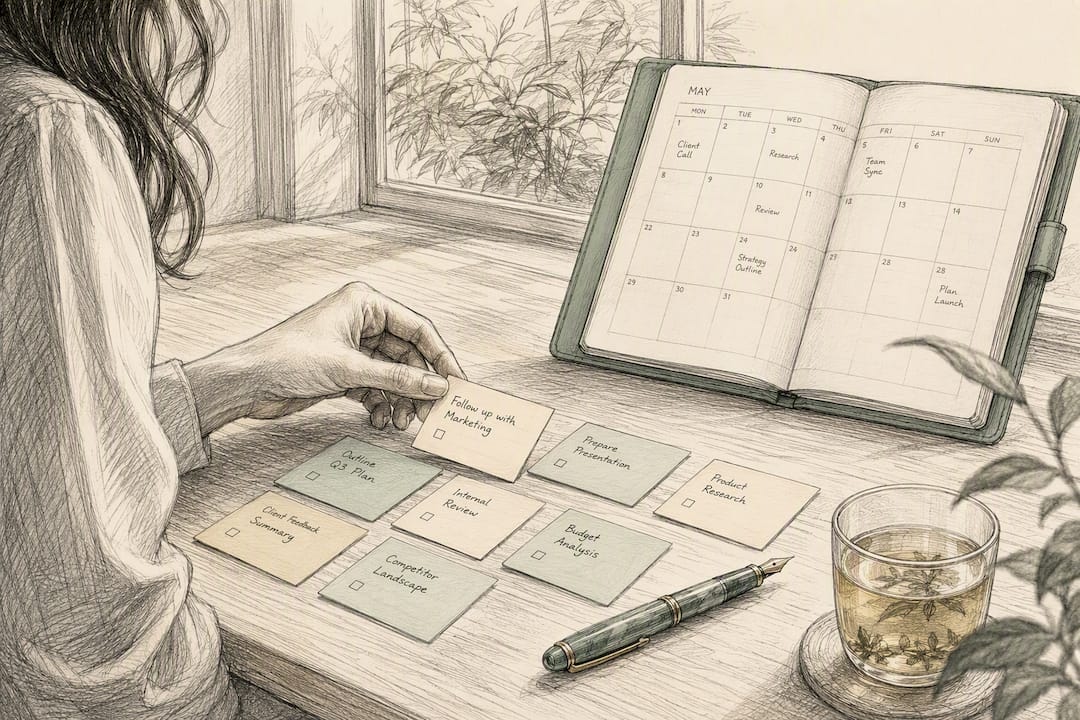
Pro Tip: Attach documents only when the recipient needs to act on them directly. For anything reference-only, link to a shared doc instead. It keeps inboxes clean and gives you a single source of truth that updates without a resend.
Multiple guides converge on the same rule for structure and pacing: a follow-up built from appreciation, recap, decisions, and dated action items is the universal shape that shows up whether the meeting was a client call or a weekly stand-up.
When Should You Send a Meeting Follow Up?
Timing isn’t one-size-fits-all, and treating every meeting the same way is how urgent items sit unanswered for a week while a routine recap gets rushed out in ten minutes. The type of meeting should dictate the clock.
| Meeting Type | Ideal Send Window | Why |
|---|---|---|
| Client crisis or urgent issue | Same day, within 2 hours | Preserves trust and shows responsiveness |
| Standard team meeting, kickoff, onboarding | Within 24 hours | Keeps momentum while details are fresh |
| Interview (as candidate or interviewer) | Within 24 hours | Signals interest and professionalism |
| Networking or partnership conversation | within 24 hours | Avoids looking desperate, still feels timely |
| Formal governance or board meeting | 2 to 3 business days | Minutes often require review before circulation |
The general guidance across most workplace sources lands on sending within 24 hours for the majority of meetings, with same-day reserved for anything where a delay could cost you credibility or a deal. Formal board minutes are the exception, since accuracy matters more than speed and someone usually needs to check the record before it goes out.
Ready-to-Use Templates for Common Meeting Types
Having a template ready before the meeting starts is the single biggest lever for hitting a same-day send. Filling in blanks during the last five minutes of a call turns a 20-minute writing task into a two-minute one, which is exactly what template generators are built around.
-
Internal team recap
Subject: Recap: [Meeting Name], [Date]
“Thanks for the discussion today. Quick recap: we decided [decision]. Open item: [unresolved point]. Action items: [Task] — [Owner] — due [Date]. Let me know if I missed anything, otherwise I’ll check in on these by [date].”
-
Client or sales meeting
Subject: Next Steps on [Their Problem/Project]
“Thanks for sharing more about [their specific challenge] today. To recap, we’re proposing [solution] to address [problem]. Next step: I’ll send over [proposal/pricing] by [date], and we’d suggest reconnecting on [date] to review. Does that timeline work on your end?”
-
Interview thank-you
Subject: Thank You, [Interviewer Name]
“Thanks for the conversation about [specific topic discussed]. I appreciated hearing about [detail they mentioned]. I’m confident my experience with [relevant skill] would translate well to this role. Let me know if there’s anything further you need from me before your next step.”
-
Networking follow-up
Subject: Great Meeting You at [Event/Context]
“It was great talking with you about [specific detail, project, or shared interest]. I’d love to stay in touch, particularly around [specific reason]. Would you be open to a quick call in the next couple of weeks?”
-
No-show or missed meeting
Subject: Sorry We Missed Each Other
“Looks like our meeting time didn’t connect today. No worries, these things happen. Are you free to reschedule for [two proposed times]? Let me know what works.”
Pro Tip: For recurring meetings, keep one master template per meeting type in a notes app or shared doc, and update only the specifics each week. It cuts drafting time and keeps your tone consistent across every recap you send.
How to Assign and Track Action Items So Nothing Slips
An action item without an owner is a suggestion. An action item without a due date is a wish. The two together are what make a task real, and it’s why the owner-first, date-explicit format shows up across nearly every practical meeting template worth using.
The micro-format worth memorizing:
- Task — clear enough that someone unfamiliar with the meeting could understand it
- Owner — one person’s name, never “the team”
- Due date — a specific date, not “soon” or “next week”
- Dependency — note if the task can’t start until something else finishes
| Signal | What It Tells You |
|---|---|
| Task has no owner | It will get dropped |
| Task has owner but no date | It will slip past every other deadline |
| Task depends on another task | Sequence it or flag the risk now |
| Task is simple and one-off | Fine to leave in the email |
| Task spans multiple people or weeks | Move it into a shared tracker immediately |
Simple, single-owner tasks can live safely inside the email itself. Anything multi-step, cross-functional, or spanning more than a few days needs to move into a shared system, whether that’s a task board, a project tool, or a running tracker, so it doesn’t disappear the moment the email gets buried. Before you hit send, run through four checks: record the item clearly, assign a single owner, link any relevant document, and set a reminder for the due date so you’re not relying on memory to follow up.
What to Do When You Get No Response
Silence after a follow-up doesn’t always mean disinterest. People are buried, and a well-timed nudge often does more good than a dozen polite emails sent too close together. The sequence that balances persistence with respect follows a fairly consistent pattern across sales and workplace guides:
- Day 3: the gentle bump. Short and low-pressure. “Wanted to make sure this didn’t get buried, any thoughts on the next step?”
- Day 7: add value. This is the touch people skip, and it’s the one that actually moves reply rates. Attach something useful: a relevant article, a quick answer to a question they raised, or a short update on your end.
- Day 14: the break-up. Give them an easy out. “I don’t want to keep cluttering your inbox, if now isn’t the right time, just let me know and I’ll follow up later.”
For internal teams, don’t wait two weeks on Slack the way you might with an external client. If a colleague hasn’t responded to an emailed recap within a day or two, a quick Slack ping or a direct question in the channel usually resolves it faster than another email, since internal follow-through tends to move through chat, not inbox.
Where Automation Fits Into the Follow-Up Workflow
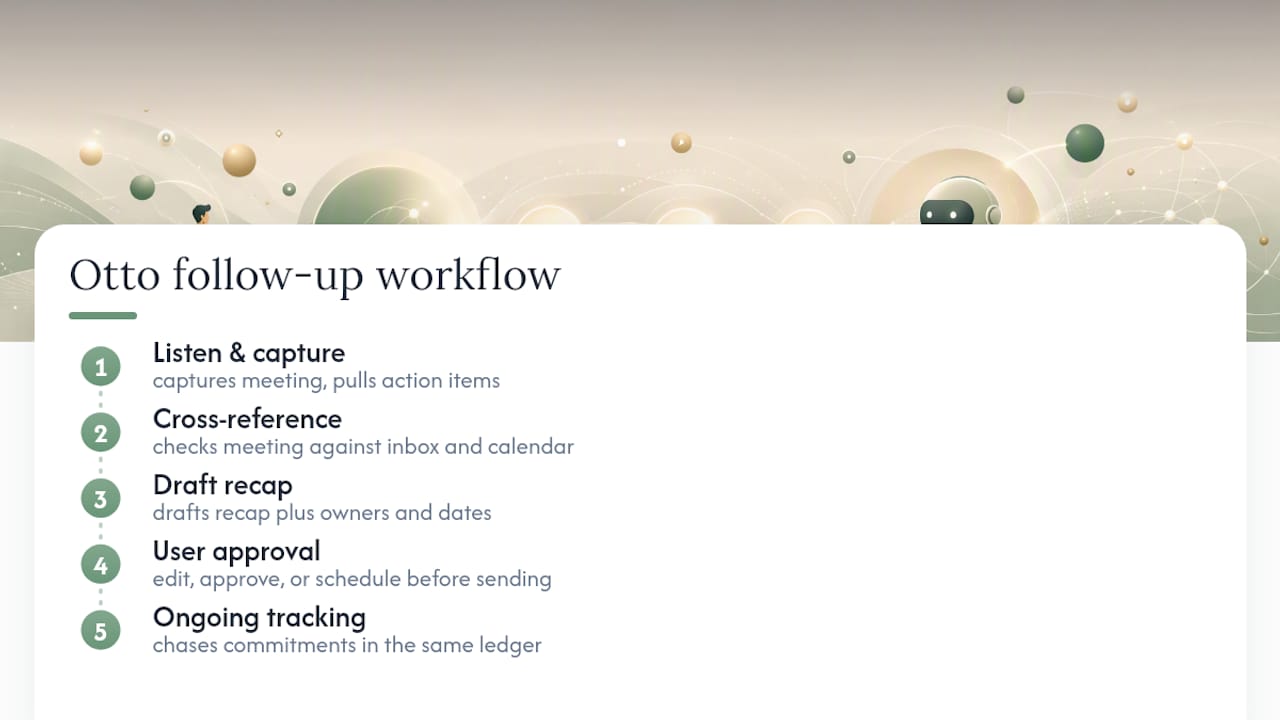
The mechanics of a good follow-up are simple. Actually doing them, meeting after meeting, without missing a beat, is where most people fall apart. The workflow that works looks like this: capture the conversation, summarize it, extract the action items, draft the follow-up, have a human review it, then send.
That review step isn’t optional. Automated drafting from a transcript can save real time, but any AI-assisted workflow still needs a human check before it goes out, and recording a meeting at all requires consent from everyone in the room. Skipping either step is a privacy problem waiting to surface.
Where this breaks down for most professionals isn’t the drafting, it’s the handoff. Your notetaker has the meeting but has never seen your inbox. Your email tool has the inbox but has no idea what you promised out loud on a call an hour earlier. You end up being the integration layer, holding the thread in your head because none of your tools talk to each other.
- Meeting capture that feeds directly into a shared commitments ledger, not a separate app
- Action items extracted automatically with owner and date, ready to review rather than retype
- Follow-up drafts generated from what was actually said, not a generic template guess
- Nothing sent without your explicit approval first
Otto listens in the meeting, reads your inbox and calendar, and keeps every promise made in any of them in one ledger it chases until it’s closed. Because it sees all of it at once, it can tell you what actually needs to happen today instead of leaving you to piece it together.
A Few Habits That Make Follow-Ups Automatic, Not Optional
The professionals who never let a meeting go stale aren’t more disciplined than everyone else. They’ve just made the follow-up a fixed block, not a maybe. Fifteen minutes right after the meeting, before the next thing swallows your attention, is enough to send a recap while it’s still accurate in your head.
On teams, rotate who sends the recap so it’s never one person’s invisible tax. The habit matters more than the tool. The tool just makes the habit cheaper to keep.
— Eddie
Otto Turns Meeting Talk Into Tracked, Sent Follow-Ups
Otto is the alternative to writing every recap by hand at 9 p.m. because you finally have a quiet minute. It listens in the meeting, pulls action items with owners and dates straight from what was actually said, and drafts the follow-up before you’ve even left the call.

The workflow is simple: Otto captures the meeting and cross-references it against your inbox and calendar, drafts the recap and the action items in the format above, and waits for your approval before anything goes out. You can edit, approve, or schedule it for later, but nothing sends itself without your sign-off. For commitments that stretch across days, Otto keeps chasing them in the same ledger it built the recap from, so nothing quietly disappears into a thread you forgot to reopen.
If you’re tired of being the one holding every promise together across five different apps, see how Otto handles it.
Sources
A few resources worth bookmarking if you want to go deeper than one article can cover: