 Otto
OttoSmall Business Productivity: 10 Tactics with a Built In 30/60/90 Plan
Small Business Productivity: 10 Tactics with a Built In 30/60/90 Plan

The fastest way to lift small business productivity is to prioritize outcomes over activity, consolidate the tools your team switches between, and automate the repetitive admin eating your week. Small teams using integrated AI platforms typically recover 10 to 20 hours per week per person by automating lead triage, scheduling, and data entry. An AI-powered assistant is one example of what that consolidation looks like in practice.
TL;DR:
- Automating routine admin tasks like invoicing, follow-ups, and lead triage can save small teams up to 20 hours weekly per person.
- Consolidating tools such as calendar, notes, and task apps reduces mental overhead and improves workflow efficiency.
- Implementing a phased approach over 30 to 90 days ensures new practices become sustainable, with measurable benchmarks at each stage.
- Setting clear response times, protecting deep work, and documenting processes prevent productivity gains from slipping away quickly.
- Starting small with AI tools, like meeting capture and inbox triage, helps reclaim hours without overhauling team operations immediately.
Table of Contents
- Top 10 Small Business Productivity Tactics You Can Start This Week
- A 30/60/90-Day Plan to Make These Tactics Stick
- The People Practices That Keep Productivity Gains From Slipping Away
- How to Measure Whether Your Productivity Changes Are Working
- Where AI and Automation Actually Fit Into Small Business Operations
- What Founders and Chiefs of Staff Get Wrong About Productivity
- How Otto Fits Into a Real Productivity Plan
- Sources
- FAQ
Top 10 Small Business Productivity Tactics You Can Start This Week
You don’t need a consultant or a six-month overhaul. You need ten specific changes, applied in the right order, starting with the ones that protect your own time first.
1. Name your top three priorities daily. Before opening email, write down the three outcomes that actually move the business forward today. Everything else waits.
2. Protect a block of deep work. Reserve one to two uninterrupted hours, ideally in the morning, for the work only you can do: strategy, key client calls, financial decisions. Treat it like a client meeting nobody can reschedule.
3. Build in buffer blocks. Practitioners recommend scheduling 30 to 60 minutes daily as unstructured buffer time to absorb the fires that always show up.
4. Batch similar tasks together. Answer emails in two windows instead of forty. Run all your invoicing in one sitting. Switching between task types carries a real cognitive cost, and batching similar work preserves that energy for the next task.
5. Delegate or micro-delegate one task this week. Pick a single recurring task, write a two-line instruction, and hand it off. Don’t wait for the perfect SOP. Start small.
6. Set a communication response window. A two-hour response window on email or chat is often perfectly acceptable, and most clients adapt without any drop in service quality. Constant availability isn’t a service standard. It’s a habit you can break.
7. Automate one repeatable admin task. Invoicing reminders, appointment confirmations, follow-up emails after a sales call: these are the tasks with the highest automation return for the least setup effort.
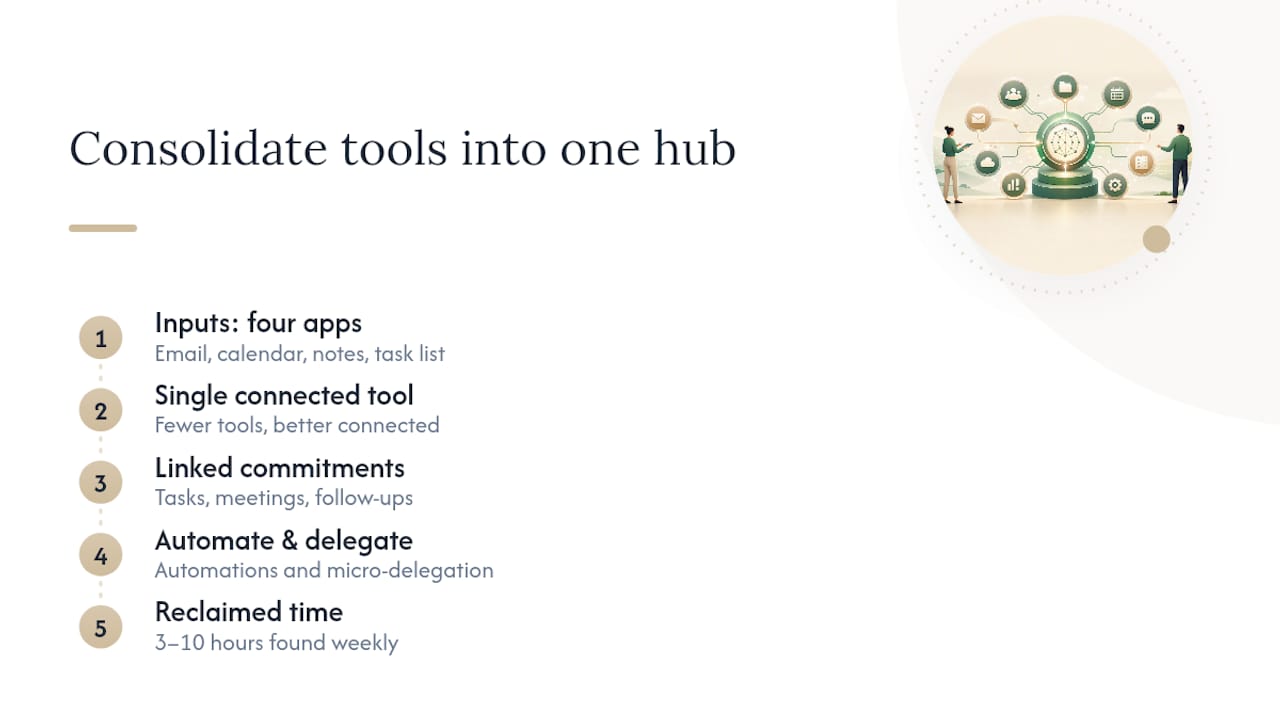
8. Consolidate your tools. If your calendar, inbox, notes, and task list live in four different apps, you’re the one doing the integration work in your head all day. Fewer tools, better connected, beats more tools used halfhearted.
9. Document your top three processes. Write down how you onboard a client, close a sale, or handle a refund. A one-page process document turns a bottleneck into something anyone on the team can run.
10. Protect your team’s actual hours. Predictable shifts and real breaks aren’t a perk you add once the business is easier. They’re what keeps output steady instead of spiking and crashing every quarter.
Pro Tip: Run a simple time audit before you change anything. Track your work in 15-minute blocks for one week. Most owners find three to ten hours of reclaimable time hiding in tasks nobody questioned before.
A 30/60/90-Day Plan to Make These Tactics Stick
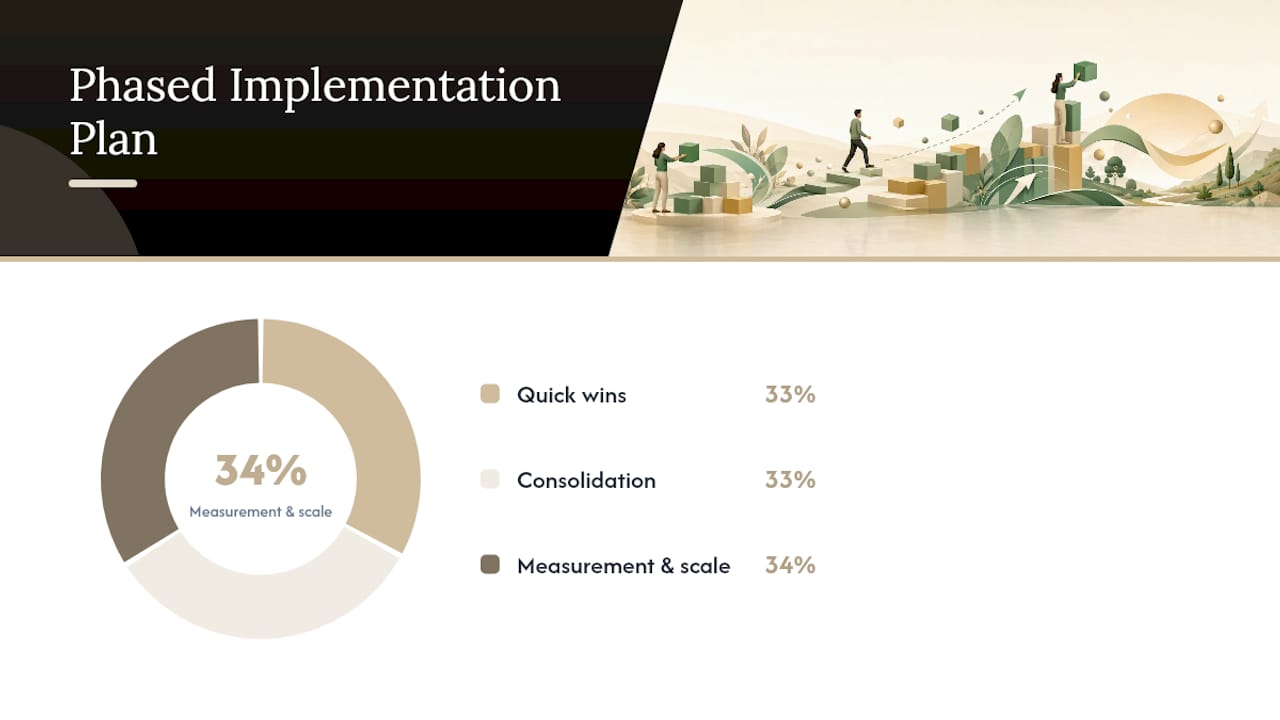
Tactics fail when they’re all introduced at once. A phased rollout gives each change time to become a habit before you layer on the next one.
Days 1 to 30: quick wins.
- Automate one repeatable task (invoice reminders or appointment confirmations are the easiest starting points).
- Delegate one recurring task to a team member with a two-line instruction.
- Name your top three daily priorities before opening email each morning.
Days 31 to 60: consolidation.
- Merge two overlapping tools into one (calendar and scheduling, or notes and task management).
- Write two SOPs for your most repeated processes.
- Start a weekly 20-minute team review to catch what’s slipping.
Days 61 to 90: measurement and scale.
- Track hours reclaimed, response times, and whether the weekly review is actually happening.
- Pilot one integrated workflow, such as connecting meeting notes directly to follow-up tasks, with a single team member.
- Decide, based on real numbers, whether to expand the pilot or scale back.
Success at each phase looks concrete: fewer unread emails at day 30, one fewer tool in daily use at day 60, and a measurable hour count saved per week by day 90. A marketing automation checklist approach applied to your own operations works the same way: small, sequenced steps beat one big rebuild.
The People Practices That Keep Productivity Gains From Slipping Away
Tools and tactics only stick when the people around them know what’s expected. Skip this part, and every gain you made in the sections above quietly erodes within a month.
- Publish your team’s expected response times so nobody guesses, and apply the same two-hour window internally that you use with clients.
- Use buffer blocks and set “office hours” for interruptions, and train the team to recognize what’s actually urgent versus what only feels that way in the moment.
- Build a one-page delegation template: task, deadline, decision rights, and where to ask if stuck. It turns a five-minute handoff conversation into thirty seconds.
- Tie schedules to wellbeing, not just output. Predictable shifts and protected breaks prevent the kind of burnout that erases three months of productivity gains in one bad week.
Pro Tip: Put your team’s response-time expectations in writing, not just in a conversation. Verbal norms drift. Written ones don’t.
How to Measure Whether Your Productivity Changes Are Working
Pick metrics you can actually track without a new software purchase: hours reclaimed per week, average client response time, lead time on your most common process, and revenue generated per owner-hour or staff-hour.
- Run a five-minute weekly check: what got delegated, what got automated, what’s still stuck.
- Run a fuller monthly KPI review against your 30/60/90 targets.
- Translate saved hours into dollars. If automation frees five hours a week and your time is worth $75 an hour, that’s roughly $19,500 a year, which makes the case for a new tool or a part-time hire concrete instead of abstract.
- Test small before committing. Try two fixed email windows for two weeks and measure whether response times or your own stress level actually change.
Proper basic financial tracking and routine reviews make this measurement step far easier, since you’re not reconstructing numbers from memory every time you want to check progress.
Where AI and Automation Actually Fit Into Small Business Operations
Treat AI as added capacity, not a replacement for your team. The SBA frames it the same way: start small, let it absorb repeat tasks, and use the freed time for higher-value work instead of assuming it replaces a role.
- Meeting capture that feeds directly into a task list, so commitments made on a call don’t die in someone’s notebook.
- Inbox triage that sorts and flags before you ever open the app.
- Automated follow-ups and scheduling, with outbound drafts you approve rather than ones sent on your behalf.
Start with one workflow, not five. Integrated platforms following this kind of workflow design show teams recovering 10 to 20 hours per person per week once repetitive coordination work is automated, but that number assumes someone is actually monitoring accuracy and approving outbound messages, not letting the system run unsupervised from day one.
What Founders and Chiefs of Staff Get Wrong About Productivity
The biggest time leak isn’t a lack of tools. It’s the hours spent re-explaining context between tools that don’t talk to each other: repeating in a follow-up email what was already said on a call, or digging through a calendar to remember what was promised to whom.
A shared-memory approach, where meetings, email, and commitments live in one place, removes that re-explaining entirely…
— Eddie
How Otto Fits Into a Real Productivity Plan
An AI assistant supports several of the tactics above directly. It can capture commitments made in meetings and turn them into a tracked ledger instead of a note you forget to revisit. It can consolidate your email and calendar into one context instead of multiple separate tabs you’re manually cross-referencing. And it can draft follow-ups on your behalf, but nothing goes out without your approval first.

If you want to test this without overhauling how your whole team works, run a 30-day pilot with one person: the founder or the operator juggling the most context. Watch two numbers: hours reclaimed per week and how many promised follow-ups actually close on time versus slipping. That’s a cleaner signal than any tool review. Otto is built specifically for the person who has become the human integration layer between their inbox, calendar, and every meeting they sit in. If that’s you, see how Otto works and start the pilot with your own numbers, not a vendor’s.
Sources
- Competitive advantage of using AI in business (FIU insights)
- Time management tips for small business owners (SBDC Duquesne)
- Manage your business (U.S. Small Business Administration)
FAQ
What are the top 10 productivity strategies for small businesses?
Daily priority setting, protected deep work, buffer blocks, task batching, delegation, communication windows, automation of repeat tasks, tool consolidation, process documentation, and protecting staff hours cover the highest-impact changes for most small teams.
What are the four P’s of productivity?
Definitions vary by source, but a common framework centers on people, processes, priorities, and performance, which is essentially a reminder that productivity depends on more than just working harder.
Can you give an example of productivity in business?
A retail shop owner who automates appointment reminders and invoice follow-ups, freeing several hours a week previously spent on manual admin, is a straightforward example of productivity gains without adding staff.
What are the four types of productivity?
Business writing typically distinguishes individual, team, organizational, and process productivity, each measured differently but all tied to how efficiently effort converts into results.
How much time can integrated AI tools actually save?
Small teams using integrated AI platforms report recovering 10 to 20 hours per person per week by automating scheduling, follow-ups, and data entry, though results depend on how consistently the team monitors and approves the automated output.