 Otto
Smart Scheduling for Founders: Protect Focus and Keep Every Promise
Smart Scheduling for Founders: Protect Focus and Keep Every Promise

Smart scheduling for a founder is not a better booking link. It is a calendar that knows what you promised in email, on calls and in Slack, so the hours you protect go to the work that matters and the follow-ups you owe stop slipping. A tool that only sees open slots can fill your week efficiently and still leave you the one holding every commitment in your head. That is why we built Otto as one shared memory across email, calendar and meetings: it captures each promise into a single ledger and tells you what to focus on today, while you approve anything before it goes out.
Below: what smart scheduling should mean for you, a weekly structure that survives urgent work, how to prep for calls, and how to keep scheduling from becoming one more tool you maintain.
TL;DR
- Basic scheduling fills open slots. Smart scheduling decides which slots are worth giving away, and protects the ones you need for deep work.
- Count your uninterrupted blocks of two hours or more last week. If you cannot find four, your calendar is not protecting you, whatever it looks like on paper.
- Most scheduling pain comes from commitments, not time slots: the “I’ll send that over” said on a call and never written down.
- Keep a human approval step on anything outbound. Automation should draft, you decide.
- Start with one source of truth for promises instead of adding a fifth scheduling app.
Table of Contents
- What smart scheduling actually means for a founder
- Build a week that survives urgent work
- Why the calendar alone is not the problem
- Make your commitments schedulable
- Prepare for every call without a 20-minute scramble
- A morning that starts with one answer
- For chiefs of staff, assistants and consultants
- Add smart scheduling without adding another tool
- Where Otto fits
- Our perspective
- FAQ
- Sources
What smart scheduling actually means for a founder
Ordinary scheduling answers one question: when are you free? A calendar link shows a preset grid of open times, and whoever clicks first gets whichever slot they like. For a freelancer with identical 30-minute client calls, that is fine.
A founder’s calendar is different. It carries several jobs at once: selling, fundraising, hiring, customers, the team. Almost all of them involve outside people who each want a piece of your best hours. If every request gets the same open grid, your week is decided by whoever replies first.
Smart scheduling adds judgment on top of availability. In practice it means four things:
- Protected time. Focus blocks are treated as busy, not as gaps to be filled.
- Different rules for different people. Mornings for investors, afternoons for candidates, a fixed window for team questions.
- Clustered meetings. Calls are stacked together instead of scattered across the day, which cuts the cost of switching context.
- Context. You know who you are about to meet, what is open between you, and what you owe them.
The first three are calendar settings and habits. The fourth is where most tools fall short, because the context lives somewhere else: in your inbox, in the transcript of your last call, in a note you meant to write. That gap is the subject of the rest of this article.
Build a week that survives urgent work
Before any tool helps, the structure has to exist. The good news is that it is simple, and you can set it up in an afternoon.
Block the work first, then let meetings fill the rest
Most founders schedule meetings first and call whatever is left “focus time.” Reverse that. Put two to four hours of deep work into your highest-energy window on the calendar before anyone else can book it. Many founder productivity writers suggest a similar split: protected blocks with no meetings, email or chat, responsive blocks for meetings and reactive work, and short buffers between them so one emergency does not collapse the day.

A realistic target is four or five protected blocks of two to three hours a week. Here is the honest test: open last week’s calendar and count the uninterrupted stretches of two hours or more. A day with three 45-minute gaps between calls looks like 40% focus time on a dashboard and gives you almost no deep work.
Pick the days, not just the hours
Choose two days as your maker days and defend them. Tuesday and Thursday work well for many founders because Monday tends to be inbox recovery and Friday tends to be a scramble of stakeholder requests. If someone insists on a Tuesday, offer Wednesday or Thursday afternoon. Say no to the slot, yes to the person.
Then add a daily buffer, for example late afternoon, shown as busy to everyone. It is where overruns, urgent replies and the follow-ups from the day’s calls land.
Use the calendar’s own focus features
If you are on Google Workspace, you can schedule a focus time event that automatically declines meetings and mutes chat notifications. Availability depends on your Workspace edition, so check the plan you are on. Microsoft 365 offers a comparable focus feature through Viva Insights. These features do the unglamorous work of keeping the block intact when an invite arrives at 8:55 a.m.
Give outside people structured options
A single open booking link is convenient and expensive. Instead, set up a few differentiated paths:
| Who | What you offer | Why |
|---|---|---|
| Investors | Mornings on non-maker days | High-stakes, you are sharpest |
| Candidates | Afternoon block on one day | Batches hiring into one context |
| Customers | Slots in a responsive block | Reactive work belongs there |
| Your team | Two fixed weekly office-hour slots | Replaces the open door |
If your volume of inbound bookings is high, automated appointment booking can take the back-and-forth out of the process once your rules are set. The rules are the part that matters, and they are yours to decide.
Put a firewall around internal meetings
Cap internal meetings to a couple of afternoons a week. Require an agenda in the invite, and convert anything without one to an async update. Add a simple urgent path, one channel for genuine emergencies, so that everything else can wait for your responsive block. Rules like these are what let you say no without it feeling personal.
Why the calendar alone is not the problem
Here is what we hear from founders who have done all of the above and still feel behind. The calendar looks great. Then a call ends and the real work starts: “I’ll send the deck Thursday,” “let me intro you to Sam,” “I’ll check pricing and get back to you.” Those promises live nowhere. The notetaker has the transcript, but it has never seen your inbox. Your email tool sees your threads, but it was not on the call. Your CRM knows the contact, but not what you said an hour ago.
So you become the integration layer: copying context between tools, holding connections in your head, re-explaining things. A smart calendar cannot fix that, because the cause is not scheduling. It is that every promise is made in one place and tracked in none.
The cost is concrete. A missed follow-up after a good investor call or a customer demo is not a scheduling failure, it is a trust failure, and it happens on exactly the days your calendar is fullest.

Make your commitments schedulable
A promise only gets kept if it becomes a dated item in a list you actually look at. A workable routine, whether you do it by hand or with software, has five parts.
- Capture at the source. Pull promises from meetings, sent email and chat, not only from tasks you consciously wrote down. The best signals are your own phrases: “I’ll send,” “let me check,” “by Friday,” “I’ll loop in.”
- Record owner, promise, due date and where it came from. A promise without a source link is hard to verify later. A promise without an owner belongs to nobody.
- Confirm, don’t assume. Extraction makes mistakes. Jokes, hypotheticals and polite phrases look like commitments, so a human should confirm what goes on the list.
- Chase until closed. When the matching email goes out, the item should close. When a due date passes, it should resurface with a draft nudge.
- Review daily. A short end-of-day sweep and a quick check right after each call, while memory is fresh, catch most of what would otherwise slip.
Done manually, this is a sizable amount of upkeep, and it tends to collapse in the busiest week. That is the job we designed Otto to take off your plate: it listens in meetings, reads your email and calendar, and logs every promise into one ledger that it keeps chasing until it is closed. If you want the longer treatment of why a plain reminder app does not do this, see our piece on reminders versus tasks for founders, and for the after-call side, post-meeting follow-ups with templates and AI.
Prepare for every call without a 20-minute scramble
Smart scheduling also means each meeting starts informed. The routine that works is a short brief generated roughly 30 minutes before a call, built from three places:
- Calendar: who is attending, the purpose, any attached documents.
- Email: the latest thread with each attendee, the open question, and each side’s last commitment.
- Past notes: your last few interactions and anything left unresolved.
The section that saves the most awkward moments is the simplest one: what did I promise this person? Walking into a call where you can open with “I owe you the pricing, here it is” changes the tone entirely.
When the three sources live in three tools, assembling this brief is manual work, which is why it gets skipped on busy days. When they share one memory, the brief is a by-product instead of a task. Our guides on meeting agenda automation and AI meeting summaries that map notes to tasks go deeper on both ends of the call.
A morning that starts with one answer
Once commitments, calendar and email sit together, the most useful question you can ask each morning is simple: what should I focus on today? The answer has to weigh the promises due, the meetings on the calendar, the threads waiting on you, and the blocks you have protected. A calendar cannot answer it, because it does not know what is overdue. An inbox cannot, because it does not know what is on your calendar.
This is where a founder’s day changes. Instead of opening four tabs and reconstructing priorities, you start from a ranked view and use your protected block on the thing that deserves it. If you are fighting the inbox in particular, our founder email management system is the companion read.
For chiefs of staff, assistants and consultants
If you track other people’s commitments, the same logic applies at a larger scale. A chief of staff holds the founder’s promises plus the team’s. A consultant or agency owner holds promises to many clients, each with its own thread, calendar and deadline.
Three habits help:
- One ledger, not one per client. Keep every commitment in a single list that you can filter by person or client, so nothing hides in a separate tool.
- Separate yours from theirs. Track what you owe and what others owe you, and agree with the team before tracking colleagues’ promises, since that tracking can feel like surveillance.
- Tell people when a recorder is on. Follow your company’s recording rules and say so at the start of a call.
For relationship follow-through, keep-in-touch reminders with human review cover the softer commitments that never have a due date but matter just as much.
Add smart scheduling without adding another tool
The usual failure is adding a fifth app that needs its own setup, its own login and its own upkeep. Avoid it with this order of operations:
- Fix the structure first. Maker days, buffers, differentiated booking options. This costs nothing and takes an afternoon.
- Pick one place for promises. Whatever it is, it must see email, calendar and meetings, or you remain the glue.
- Set the permissions deliberately. Give read access to sources and write access only to the one task list. Check what the tool can send on your behalf.
- Keep a human in the outbound path. Nothing should be sent or finalized without your approval. Drafts are fine, automatic sends are not.
- Review after two weeks. Count your protected blocks and your overdue promises. If both improved, keep going. If not, adjust the rules, not the person.
Where Otto fits
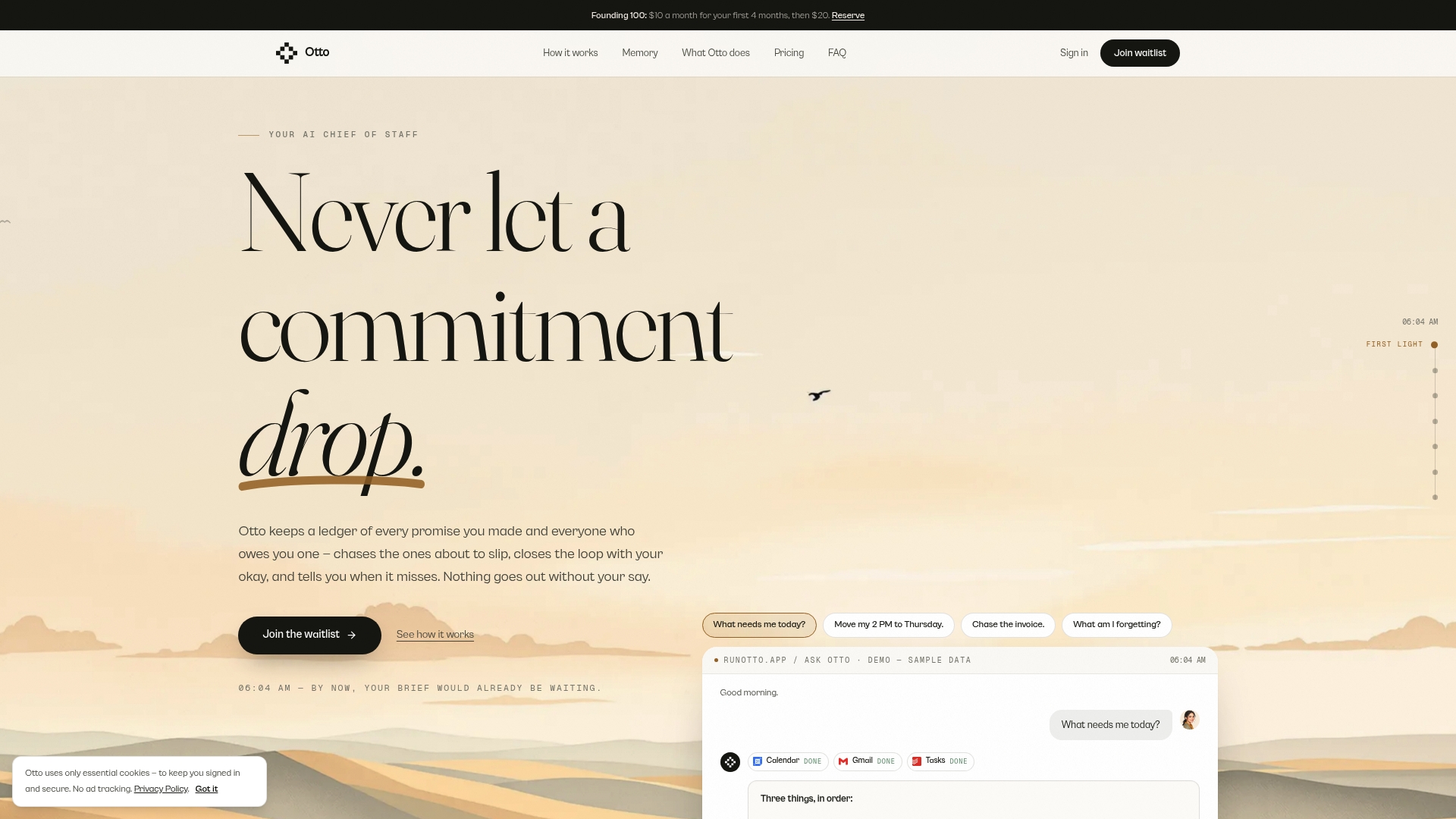
Otto is an AI chief of staff built on one shared memory of your work: email, calendar, meetings and commitments in the same place. It covers commitment-led task management, automated follow-ups and reminders, approval-based outbound communication, routine scheduling, meeting transcription and summaries, and people and contact management, with integrations across more than 130 tools including Gmail, Google Calendar, Slack, Notion, GitHub and Todoist. Otto drafts; you decide.
There are three plans: Free at $0 per month, Upgraded at $20 per month and Max at $50 per month, with higher usage limits, integrations and advanced features as you move up. You can see them at ottohq.app.
If you already use a notetaker and still lose follow-ups, this is the gap Otto is built to close. Our guide to stopping missed follow-ups shows the capture, queue, act loop in detail.
Our perspective
Scheduling got treated as a calendar problem because calendars were the thing we could automate. But the founders we build for do not lose their weeks to open slots. They lose them to promises they cannot see.
Every tool in the stack is clever inside its own box. The notetaker has the call, the email assistant has the thread, the contact manager has the person. Nobody has all three, so the founder becomes the glue, and glue does not scale past a certain number of meetings.
That is why we think the answer is one memory, not a smarter slot-picker. When the same system hears the call, reads the thread and sees the calendar, it can keep a single ledger of what you owe, chase it until it is closed, and tell you each morning what deserves your protected hours.
And it has to stay your call. Otto drafts, you approve. A chief of staff you cannot trust with your name is not a chief of staff.
Eddie
FAQ
What is the difference between smart scheduling and a booking link?
A booking link shows a preset grid of open times. Smart scheduling applies rules and judgment: it protects focus blocks, offers different times to different people, clusters meetings and brings context into each call. For founders, the second is what keeps the week under their control.
How much focus time does a founder need?
Four or five protected blocks of two to three hours a week is a workable target for most knowledge work. Judge it by counting last week’s uninterrupted blocks of two hours or more, not by the percentage of free time on the calendar.
Can I let AI send follow-ups automatically?
We recommend against it. Extraction can mistake a joke or a hypothetical for a promise, so drafts should wait for your approval. In Otto, nothing is sent or finalized without your explicit approval.
I already have an AI notetaker. Why do follow-ups still slip?
A notetaker sees the meeting but not your inbox or calendar, so it cannot tell whether you already kept a promise or what else is competing for your day. Connecting meetings, email and calendar into one ledger closes that gap.
Do I need to start with a paid plan?
No. Otto has a Free plan at $0 per month, and paid plans at $20 and $50 per month add higher usage limits, integrations and advanced features.
Sources
- Use focus time in Google Calendar, Google Calendar Help
- Automated Appointment Booking: How It Works and How to Set It Up