 Otto
OttoFounders: Time Zone Scheduling Assistant That Materializes Events
Founders: Time Zone Scheduling Assistant That Materializes Events

A time zone scheduling assistant, done right, isn’t a converter that shows overlapping work hours. It’s an agent-first AI that reads your inbox, calendar, and meeting transcripts to find, propose, and book correct cross-timezone meetings, then chase whatever follow-up they create. Used properly, it kills the silent daylight-saving errors and copy-paste context switching that eat a founder’s mornings. The right move is a two-to-four week pilot in proposal mode before you let it book anything on its own.
TL;DR:
- A reliable time zone scheduling assistant must correctly handle daylight saving transitions by recalculating offsets for future dates, not just the booking day.
- Testing should verify the assistant’s control over actions by ensuring no bookings are made without explicit approval and all actions are logged as drafts first.
- An effective assistant integrates with email, transcripts, and team tools to provide contextually informed proposals, not just show available times.
- Pilot programs should span multiple time zones and DST shifts, focusing on offset accuracy, approval processes, integration depth, and audit logging.
- Starting small and revoking permissions mid-pilot helps identify security gaps and confirms the assistant’s proper compliance with scope restrictions.
Table of Contents
- How Does a Time Zone Scheduling Assistant Actually Work?
- What Breaks Cross-Timezone Scheduling? Testing DST and OAuth Friction
- What Features Separate a Real Assistant From a Glorified Calendar App?
- How Do You Evaluate an Assistant Before Trusting It With Real Meetings?
- What’s the Fastest Way to Roll This Out Safely?
- Why the Integration Gap Is the Real Cost, Not the Time Zone Math
- Try an Agent-First Scheduler Built Around One Memory
- Sources
- FAQ
How Does a Time Zone Scheduling Assistant Actually Work?
Most calendar tools were never built to be asked, “find a slot that works.” Google Calendar and Outlook expose storage APIs, which means they’re excellent at holding events but bad at answering availability questions. An agent asking a storage API for open time has to pull raw free/busy blocks and do the timezone math itself, which is exactly where silent errors creep in.
A scheduling API built for agents does that work upfront. It returns ranked slots, not a wall of free/busy data, and it scores each option on things like working-hours fit, buffer time around adjacent meetings, and how loaded that person’s day already is. That scoring model matters because scheduling is fundamentally an infrastructure problem about slot quality, not just slot existence. A 7 a.m. opening in Berlin might be technically free and still a terrible fit for the person who has three back-to-back calls right after it.
The workflow that actually holds up in production looks like this:
- Participant registration: every attendee gets a stable ID so the assistant isn’t re-guessing who’s in Lisbon versus who’s in Lagos each time.
- Proposal before booking: the assistant surfaces two or three ranked options with explicit offsets rather than locking in a time unilaterally.
- Context ingestion: meeting transcripts and inbox threads feed the proposal, so “let’s push our sync 30 minutes” said out loud on a call actually updates the calendar.
- Booking confirmation: once a human approves, the assistant materializes the event with the context attached, not just a bare time block.
This is the difference between “an AI that can see your calendar” and one that can actually run your schedule.
What Breaks Cross-Timezone Scheduling? Testing DST and OAuth Friction
Four failure modes account for almost every cross-timezone scheduling disaster, and they’re worth testing for before you trust an assistant with a real meeting.
- Daylight saving transitions. An assistant that computes today’s offset correctly can still be wrong for a meeting six weeks out if it doesn’t recalculate for the future date. That’s how confirmations end up looking perfectly fine while attendees show up an hour apart, because the offset math has to account for the calendar date of the meeting, not the date it was booked.
- OAuth redirect flows built for humans. A browser consent screen is fine when a person is clicking through it. It’s a dead end for an agent trying to act on a schedule without a human sitting there to approve a popup every time.
- Combinatorial blowup with multiple participants. Add a third time zone and a fourth attendee’s recurring conflict, and the search space stops being something you can eyeball on a shared calendar grid.
- Consumer booking links. A public “grab a slot” page is built for one person picking one time, not for an agent negotiating across five calendars and a transcript full of stated preferences.
The practical fix on OAuth friction is to reserve browser-based consent for the initial user authorization, then let the agent operate through server-to-server credentials for ongoing scheduling actions, with every action logged for audit.
What Features Separate a Real Assistant From a Glorified Calendar App?
A handful of concrete outputs separate an agent-first scheduler from a fancier calendar widget. If you don’t see these, you’re not looking at a scheduling assistant, you’re looking at a scheduling display.
- Ranked slots with ISO-8601 offsets. Every proposed time should carry its explicit timezone offset, not a vague label like “10 a.m. your time,” and the assistant should be able to explain why it ranked one slot above another.
- Materialized calendar events. The booked event should arrive with the source thread linked, the transcript excerpt attached, and any action items pulled from the conversation, because a bare time block with no lineage sends whoever opens it straight back to searching their inbox. That kind of event materialization is what closes the loop between a brief and the work actually getting done.
- Draft messages, not sent messages. Outbound scheduling emails should sit as drafts pending your approval, never fire automatically.
- A commitments ledger. Whatever gets promised in that meeting, whether it’s a follow-up doc or a Friday deadline, should land on a running list the assistant keeps chasing until it’s closed.
- Integration breadth. Email, calendar, meeting transcription, and team tools like Slack or Notion all need to feed the same system, or you’re back to manually relaying context between tools.
Pro Tip: Ask any scheduling tool you’re evaluating to show you the raw event body it creates, not just the calendar entry. If it’s a bare time and title with no linked thread or action items, the “AI” part is mostly cosmetic.
How Do You Evaluate an Assistant Before Trusting It With Real Meetings?
Run the evaluation on four criteria, in this order: accuracy across DST boundaries, how much control you retain over what actually gets sent or booked, how deep the integrations go beyond calendar alone, and whether every action leaves a log you can audit later.
- Pick five to eight real upcoming meetings that span at least two time zones and one DST transition if you can find one on the calendar.
- Run the assistant in proposal mode only for the full pilot; nothing gets booked without your explicit yes.
- Check every confirmation against the stored UTC value and the local time each attendee actually sees, catching offset drift before anyone shows up to an empty room.
- Log every failure, no matter how small, including slow slot suggestions or vague error messages.
- Compare time spent on scheduling before and after, plus count any false bookings the pilot mode caught before they went out.
| Evaluation Area | What to Check | Pilot Signal |
|---|---|---|
| Offset accuracy | Stored UTC matches local time shown to each attendee | Zero mismatches across DST test cases |
| Approval control | Nothing sends or books without a yes | All actions logged as drafts first |
| Integration depth | Transcripts and inbox threads inform proposals | Follow-ups reference actual meeting content |
| Audit logging | Every agent action is timestamped and reversible | Full log available for pilot review |
A two-to-four week window is usually enough to know if the assistant is production-ready or still guessing.
What’s the Fastest Way to Roll This Out Safely?
Start narrow. Grant the assistant the smallest set of permissions that lets it do the job, then actually test revoking access to confirm it behaves when you pull a scope back mid-pilot.
- Schedule a handful of test bookings that cross a DST boundary and verify the stored offset, not just the displayed time.
- Walk the full proposal-to-accept-to-booking lifecycle once yourself before trusting it on autopilot.
- Open a materialized event afterward and confirm the linked thread, transcript excerpt, and action items are actually there.
- Set up error webhooks so a failed booking alerts you immediately instead of surfacing three days later.
- Run a five-minute weekly review of everything the assistant proposed, booked, or flagged.
Pro Tip: The revoke test matters more than people think. If pulling a calendar scope doesn’t immediately stop the assistant from acting on that calendar, you’ve found a real security gap before a client meeting exposed it.
Why the Integration Gap Is the Real Cost, Not the Time Zone Math
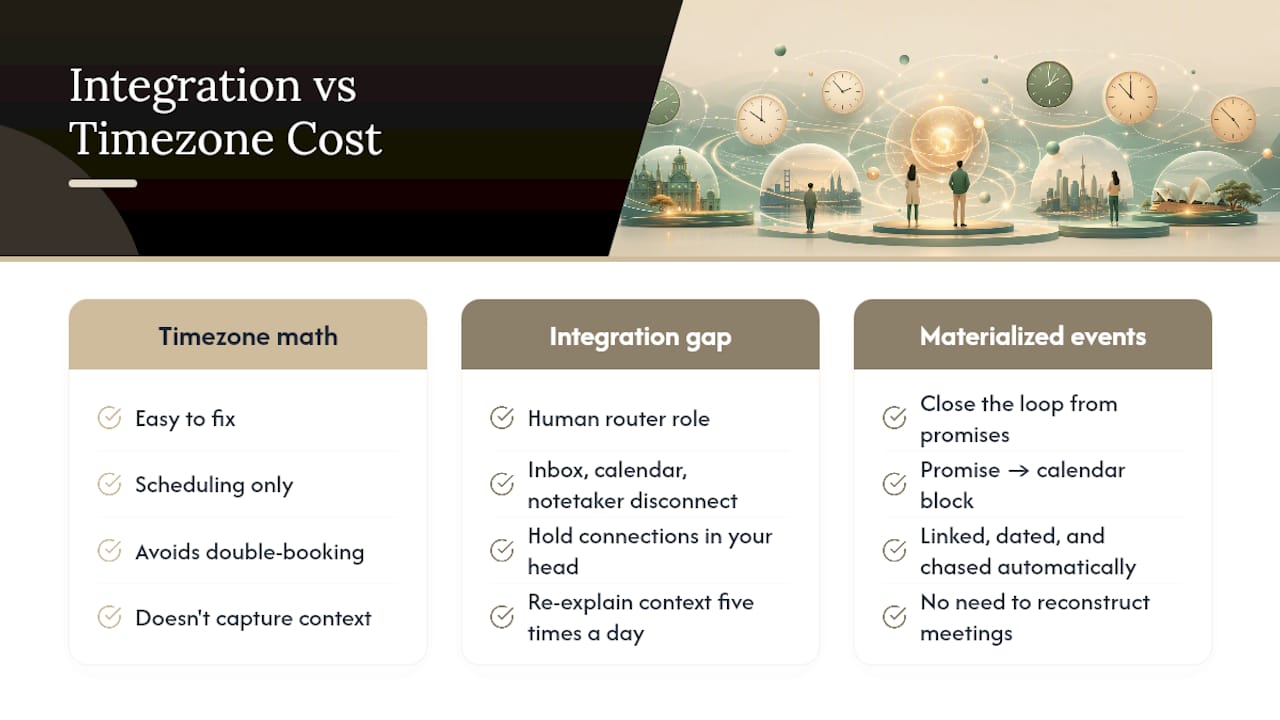
The timezone math is the easy part to fix. What actually drains a founder’s week is being the human router between an inbox that knows what was promised, a calendar that has no idea what was said on the call, and a notetaker that never saw either. You end up holding every connection in your head and re-explaining context five times a day.
Materialized events fix the part people underestimate: they close the loop from “someone said they’d send a doc by Friday” to a calendar block that actually contains that promise, linked, dated, and chased automatically. That’s a bigger unlock than picking the right meeting time. Most scheduling advice stops at “avoid double-booking.” The real prize is never having to reconstruct what a meeting was actually about.
— Eddie
Try an Agent-First Scheduler Built Around One Memory
Otto is built around the exact problem this article walks through: an AI chief of staff that keeps your inbox, calendar, meeting transcripts, and commitments in one shared memory instead of scattered across separate tools that never talk to each other. That’s the practical advantage over a standalone scheduling widget or a converter tab, since Otto listens in meetings, reads what you promised in email, and drafts the follow-up before you have to remember to write it yourself.

Nothing books or sends without your explicit approval; drafts are prepared for your decision, aligning with the proposal-first pilot approach covered above. If you’re running a two-to-four week evaluation like the one outlined here, the practical next step is to try Otto and put a real batch of cross-timezone meetings through it in proposal mode before it ever touches your calendar unsupervised.
Sources
For deeper technical background on the problems covered here, these sources are worth a closer read:
- Why Scheduling Is Harder Than It Looks — And What It Means for AI Agents - DEV Community
- Scheduling Is an Unsolved Infrastructure Problem | skdul blog
- The Missing Middle: Why AI Chiefs of Staff Fail Without Calendar Materialization | Artificial Curiosity Labs
FAQ
What Is a Time Zone Scheduling Assistant?
It’s an agent-first AI that unifies your inbox, calendar, and meeting transcripts to find, propose, and book cross-timezone meetings correctly, with approval workflows rather than automatic booking.
How Is This Different From a Time Zone Converter?
A converter just shows overlapping hours between two clocks; an agent-first assistant reads context from your actual meetings and commitments, scores slot quality, and drafts the booking for your approval.
Why Does Daylight Saving Time Break Scheduling Tools?
Many tools calculate today’s offset correctly but fail to recompute it for a future meeting date, which produces confirmations that look right while attendees actually show up an hour apart, as DST-related scheduling failures illustrate.
Can an Assistant Book Meetings Without My Approval?
A well-designed one won’t. Tools like Otto keep every outbound message and booking as a draft until you explicitly approve it, which prevents unilateral scheduling mistakes.
How Long Should a Pilot Test Run?
Two to four weeks is usually enough to catch DST errors, confirm approval controls work, and measure real time saved before rolling the assistant out beyond a test group.